Category: Uncategorized

  • What Are Autonomous AI Agents? How They Work and Examples

    What Are Autonomous AI Agents? How They Work and Examples

    You keep hearing that autonomous AI agents will run workflows on their own, but vendor pages rarely say what that means in practice. Some describe a chatbot with a few plugins. Others promise a digital employee. If you are a CTO or product leader deciding where to invest, that gap makes it hard to judge what is real and what is demo-ware.

    Here is the short answer. An autonomous AI agent is software that takes a goal, plans the steps, uses tools and data, and acts with little or no human prompting. It differs from a standard assistant because it decides what to do next, not just what to say. It also differs from agentic AI, which is the broader design approach that agents are built on.

    This article walks through how these agents work, from perception and planning to tool use and memory. You will see how they compare with agentic AI, real examples across industries, and the top tools worth evaluating. We have shipped enterprise AI systems into production for 7+ years, so we also flag what tends to break once an agent leaves the prototype stage.

    Why autonomous AI agents matter for your business

    From answering questions to finishing work

    Most automation you already own follows fixed rules. A script moves a file, a bot fills a form, and when something unexpected shows up, it stops and waits for a person. Autonomous AI agents handle the unexpected by reasoning about the goal and choosing another route. That shifts the unit of automation from a single task to a whole outcome.

    Picture an insurance claims queue. A rules engine can route a document. An agent can read the claim, check the policy, request a missing photo, and pass along only the cases that need an adjuster’s judgment. Your people review exceptions instead of touching every item, which is where the capacity gain comes from.

    Where the value shows up

    The payoff is clearest in workflows that are high volume, multi-step, and tied to several systems. Those are the jobs where people spend hours copying context between tools. Cost reduction, faster response times, and more capacity without more headcount are the three gains we see most often.

    These are results from Hatzs Dimensions client projects:

    Area Outcome
    Insurance operations 30% lower operations costs
    Lead handling 300% more lead conversion capacity
    Customer engagement 40% higher engagement

    What you need to price in

    Autonomy cuts both ways. An agent that can issue refunds can also issue the wrong refunds, and a mistake in step two carries into steps three through ten. Errors compound across steps, and every tool you hand the agent widens cost, security, and compliance exposure.

    The more an agent can do without you, the more you need to know about what it did and why.

    So treat the business case as two columns, not one. Savings come from removing manual work, and the offsetting spend goes to monitoring, access controls, and human review for risky actions. Teams that budget for both ship agents that stay in production. Teams that budget only for the first column tend to pause after the first costly mistake.

    How autonomous AI agents work

    Under the hood, autonomous AI agents run a loop instead of answering once. A language model sits at the center, but the model alone is not the agent. The agent is the model plus the tools, memory, and rules wrapped around it.

    The core loop

    Every agent cycles through the same four moves until the goal is met or it hits a limit you set.
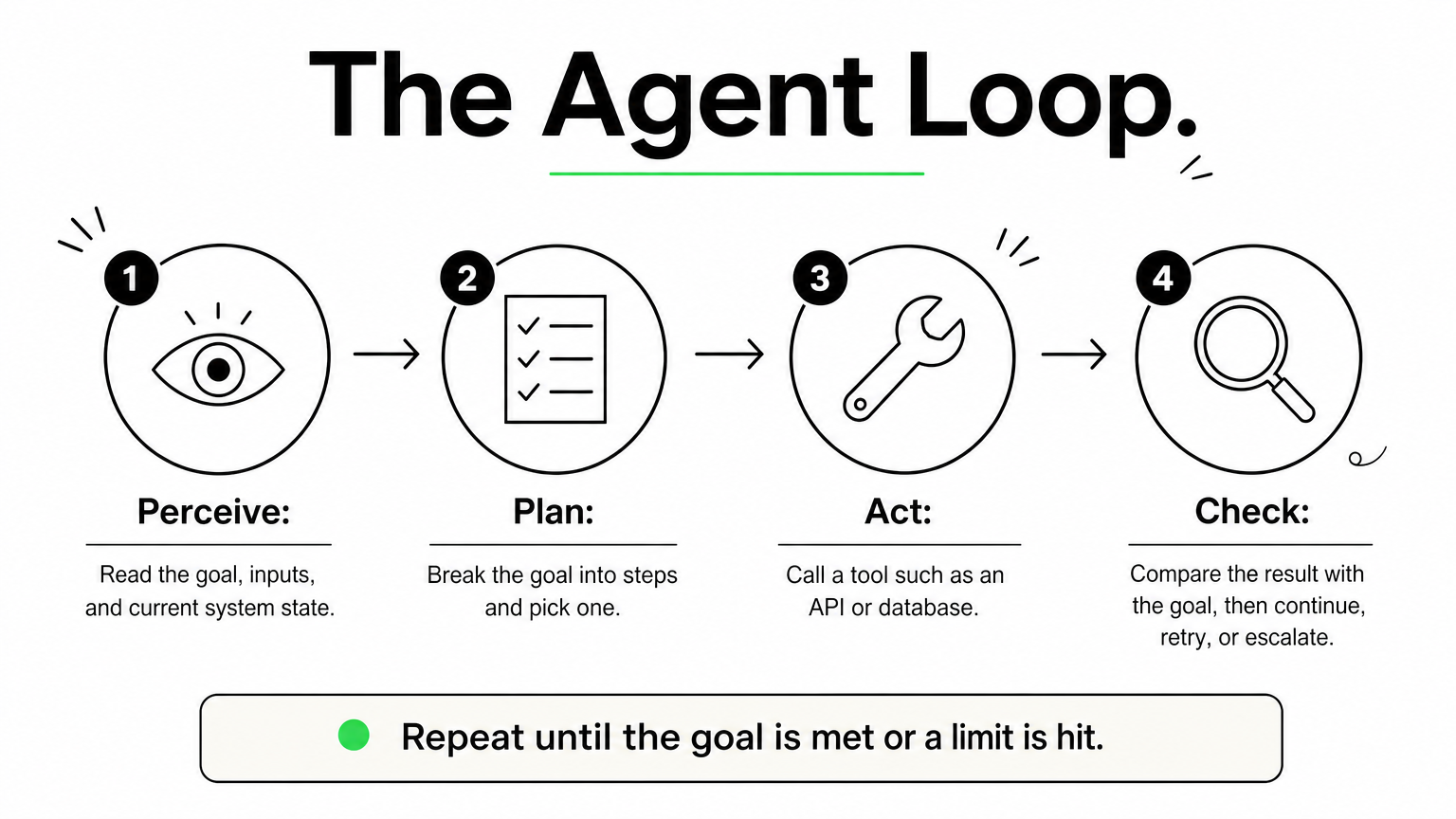
    Four-step cycle showing perceive, plan, act, and check stages of an autonomous agent.

    1. Perceive: read the goal, the inputs, and the current state of your systems.
    2. Plan: break the goal into steps and pick the next one.
    3. Act: call a tool, such as an API, a database query, or a browser.
    4. Check: compare the result with the goal, then continue, retry, or escalate to a person.

    Most production failures happen in the check step. An agent that cannot tell a failed action from a successful one will keep going confidently in the wrong direction, and that is how small errors compound.

    An agent is only as autonomous as its ability to verify its own work.

    The building blocks

    Four components make that loop possible, and you should be able to name each one in any agent you evaluate.

    Component Job Example
    Reasoning model Plans and decides A large language model
    Tools Take real actions CRM API, SQL, email
    Memory Holds context across steps Task log, vector database
    Guardrails Limit what it may do Spending caps, approval gates

    When a vendor demo looks impressive, ask about the last two rows. Memory and guardrails separate a prototype from something you can safely leave running overnight.

    Autonomous AI agents vs. agentic AI and other agents

    Autonomous agents and agentic AI

    Agentic AI is a way of building systems: you give a model a goal, let it plan, call tools, and adapt to results. An autonomous agent is a specific system built that way and allowed to run with minimal supervision. Some agentic systems keep a person approving every step, so they are agentic without being autonomous.

    Agentic describes how a system is designed. Autonomous describes how much freedom you give it.

    That distinction matters when you read vendor claims. A product marketed as "agentic" may still stop and ask you before every action.

    How other agent types compare

    The table below places autonomous agents next to the tools they are most often confused with.

    Type How it decides Example
    Chatbot or assistant Responds to each prompt, takes no independent action FAQ bot
    Rule-based bot (RPA) Follows fixed scripts, stops on surprises Invoice-entry bot
    Copilot Suggests, and you approve Code completion
    Autonomous agent Plans and acts toward a goal Claims triage agent
    Multi-agent system Several agents split and review the work Researcher, writer, and reviewer agents

    Most teams should treat autonomy as a dial, not a switch. Start with a copilot that drafts while you approve, then move low-risk actions to full autonomy once your logs show consistent accuracy over a few hundred runs. Refunds, payments, and anything customer-facing can stay behind an approval gate much longer.

    Real-world examples of autonomous AI agents

    Examples across industries

    Autonomous AI agents already run in production, mostly where work is repetitive and spans several systems. The table shows the use cases by industry we see most often, along with the part people still own.
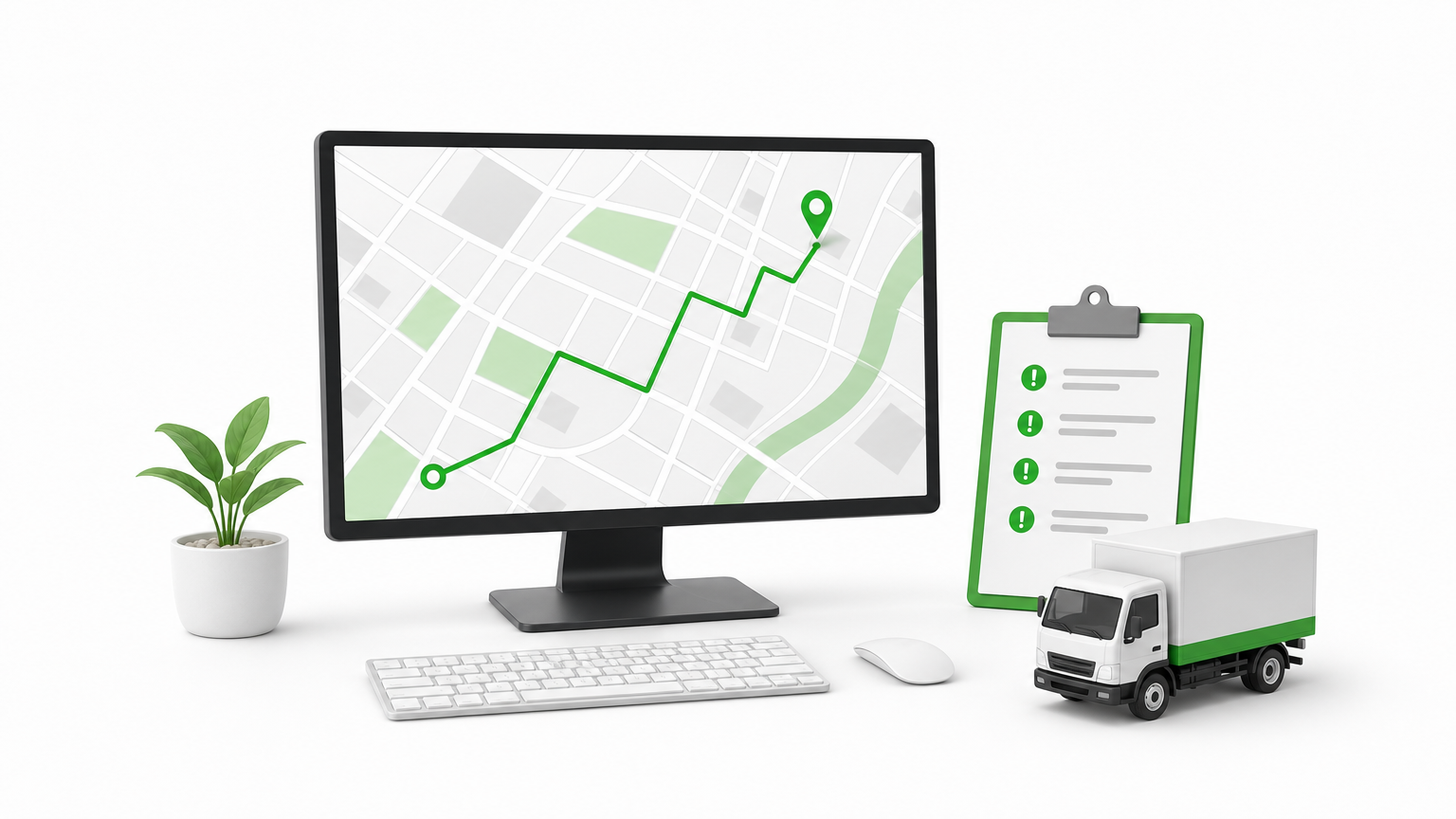
    Dispatcher desk with route map monitor, clipboard of flagged shipments, and a toy delivery truck.

    Industry What the agent does Human role
    Insurance Reads claims, checks policies, requests missing documents Adjusters review flagged cases
    Retail Monitors stock and reorders within set limits Buyers approve large orders
    Healthcare Handles scheduling and prior-authorization paperwork Staff make clinical decisions
    Logistics Reroutes shipments when delays hit Dispatchers handle exceptions
    Software Triages bug reports and drafts fixes Engineers review code

    Notice what these have in common. Each agent has bounded authority, and a named person owns the exceptions. None of them is a free-roaming digital employee.

    The best first agent has a narrow job, clear limits, and a person who owns the exceptions.

    Tools worth evaluating

    Start with AI agent platforms for business from vendors you already use. Amazon Bedrock Agents, Google Vertex AI Agent Builder, and Microsoft Copilot Studio all plug into existing cloud security and identity controls. For custom builds, open-source frameworks such as LangGraph and CrewAI give you direct control over the agent loop.

    Choose based on integration depth and logging, not demo polish. Run a two-week pilot on one real workflow, and check whether you can replay every action the agent took. If you cannot, keep looking.

    How to evaluate and deploy autonomous agents safely

    Safe adoption comes down to two habits: judging the agent before you commit, and widening its authority only as evidence builds. The checks below work whether you buy a platform or build your own.

    Questions to ask before you commit

    Put the same five questions to every vendor and internal team, before any pilot starts:

    • Can you replay every action, input, and tool call?
    • Which permissions does the agent hold, and can you limit them per task?
    • What triggers escalation to a person?
    • How is accuracy measured, and on whose data?
    • Where does your data go, and who can see it?

    Vague answers to the first two are a dealbreaker. If you operate in healthcare, banking, or insurance, add your compliance team to this AI governance and compliance review on day one, not after the pilot.

    Roll out autonomy in stages

    Most failed pilots hand an agent too much freedom too early. Autonomous AI agents should earn trust in steps, with a human checkpoint at every stage:

    Four-step staircase with a control dial at the bottom and a kill switch at the top.

    1. Shadow mode: the agent proposes actions and people perform them. Compare its choices with theirs.
    2. Approval mode: the agent acts only after a person signs off.
    3. Limited autonomy: the agent handles low-risk actions alone, under spending caps and rate limits.
    4. Full autonomy: the agent runs on its own, with alerts and a tested kill switch.

    Earn autonomy with logged results, not with a good demo.

    Move up a stage only when your logs show steady accuracy across a few hundred runs. Drop back a stage after any serious incident.

    Finally, give the agent an owner. One named person should watch the dashboards, review exceptions, and decide when to expand scope. Without that owner, monitoring becomes nobody’s job, and quiet failures pile up unnoticed.

    Where autonomous agents fit next

    Autonomous AI agents are not digital employees, and they are not smarter chatbots. They are goal-driven software that plans, acts, and checks its own work inside limits you set. The teams that get value from them pick one narrow, high-volume workflow, keep a person on the exceptions, and widen authority only as their logs prove accuracy.

    That is the whole playbook. Understand the loop, separate agentic design from real autonomy, and ask hard questions about replay, permissions, and escalation before you sign anything. Do that, and autonomy becomes a dial you control instead of a risk you inherit. Skip it, and errors compound faster than savings.

    If you want a senior team to help scope your first pilot, talk to Hatzs Dimensions about building autonomous AI agents that are production-ready, with guardrails and monitoring included from day one.
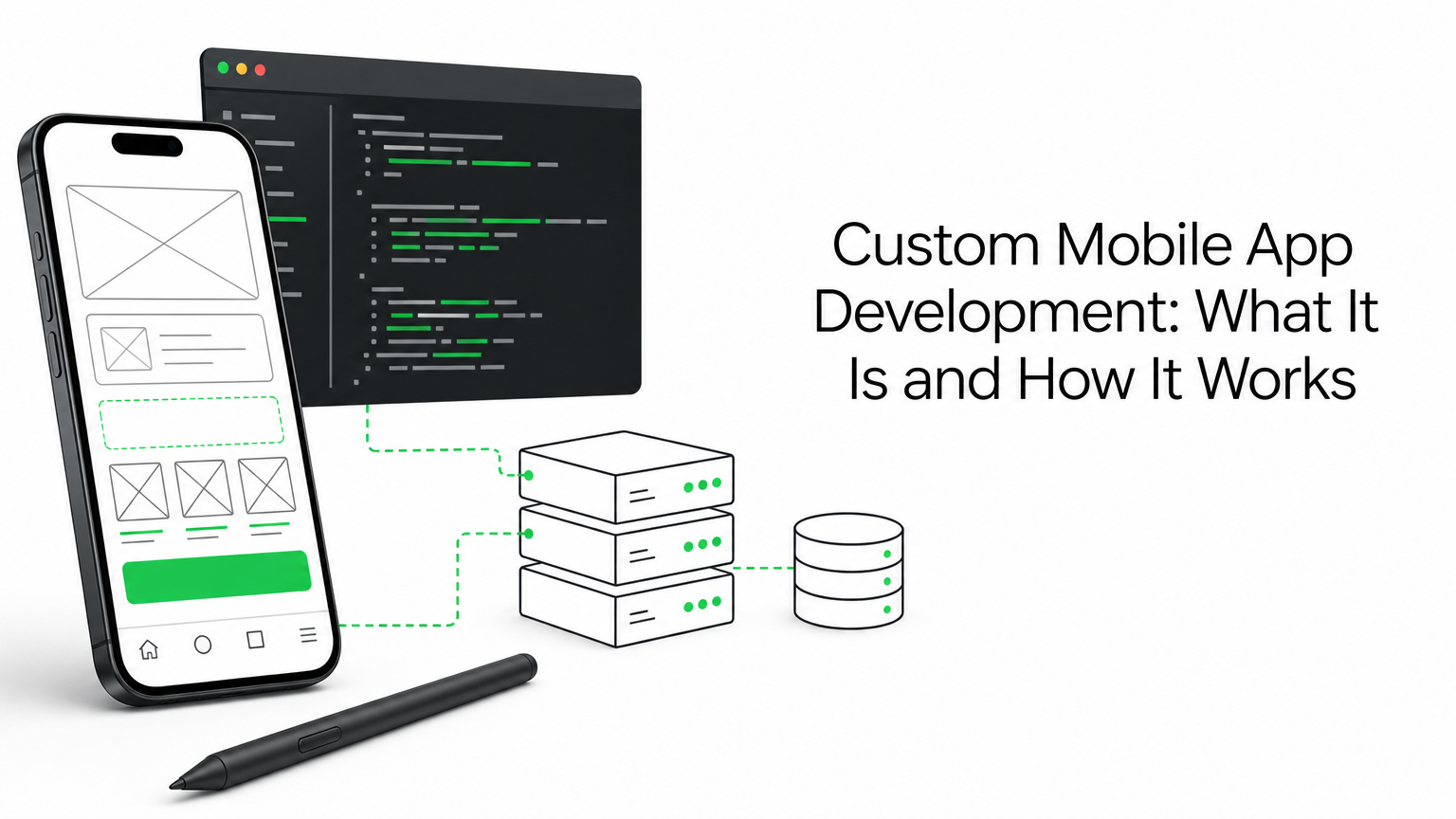

  • Custom Mobile App Development: What It Is and How It Works

    Custom Mobile App Development: What It Is and How It Works

    Off-the-shelf apps force your business to bend around someone else’s workflow. Your checkout process, your compliance rules, your field team’s routines get squeezed into a template that was never built for them. That gap is exactly why custom mobile app development exists, and why so many CTOs and founders end up searching for it once a generic app hits its limits.

    At its core, custom mobile app development means building software from scratch around your specific business logic, users, and systems, rather than configuring a pre-built product. It covers everything from discovery and architecture planning to design, engineering, and long-term support, and it applies whether you’re a startup shipping a first product or an enterprise modernizing legacy systems. The right approach also determines how well your app scales, integrates with your existing stack, and holds up under real user load.

    In this article, we’ll break down what custom development actually involves, how the process works step by step, and what separates custom enterprise mobile app development from smaller-scale builds. We’ll also cover how to evaluate a development partner and what results you should realistically expect.

    Why custom mobile app development matters for your business

    Businesses adopt custom mobile app development because generic software eventually collides with how their operations actually work. A retail chain’s inventory sync, a logistics company’s routing rules, a healthcare provider’s compliance requirements: none of these fit neatly into a one-size-fits-all app. When you build around your own workflows instead of adapting to someone else’s, you remove the friction that slows teams down and frustrates customers.

    A retail worker uses a custom inventory app on a tablet near store shelves.

    Where off-the-shelf apps start costing you

    Off-the-shelf platforms look cheap and fast at first, but the bill comes due later, which is why it pays to work through the build vs. buy decision honestly. You hit licensing limits on user counts or API calls, plugin conflicts break features overnight, and every workaround adds technical debt that someone eventually has to untangle. Teams end up building manual processes around the software’s gaps, which defeats the purpose of automating anything in the first place.

    A generic app that fights your workflow every day is more expensive than a custom one that fits it once.

    What a tailored build gives you back

    Custom-built software gives you full ownership of the codebase, the data, and the roadmap. Nobody can force a pricing change, deprecate a feature you depend on, or sunset the product entirely. That control matters most for companies running regulated operations or handling sensitive customer data, where every integration and access point needs to be accounted for.

    A tailored approach typically delivers:

    • Direct integration with your existing CRM, ERP, or legacy databases instead of brittle middleware
    • Workflow automation built around your actual approval chains and business rules
    • Scalability engineered for your real user load, not a generic ceiling
    • Security and compliance controls mapped to your industry’s specific requirements
    • Faster iteration since you control the release schedule, not a third-party vendor

    The business case in numbers

    Results from real deployments make the case better than theory does. Across client engagements, custom mobile app development solutions have driven measurable operational gains rather than just aesthetic improvements:

    Business area Typical outcome after custom build
    Insurance operations Up to 30% lower operating costs
    Sales and lead handling Up to 300% increase in conversion capacity
    Customer engagement Up to 40% higher engagement rates

    Gains like these come from removing manual steps and building features around actual user behavior, not from a bigger app store rating. You can see how this plays out across industries in our case studies, where the same pattern repeats: teams that outgrow generic tools recover both time and revenue once the software finally matches how they work.

    How custom mobile app development works from discovery to launch

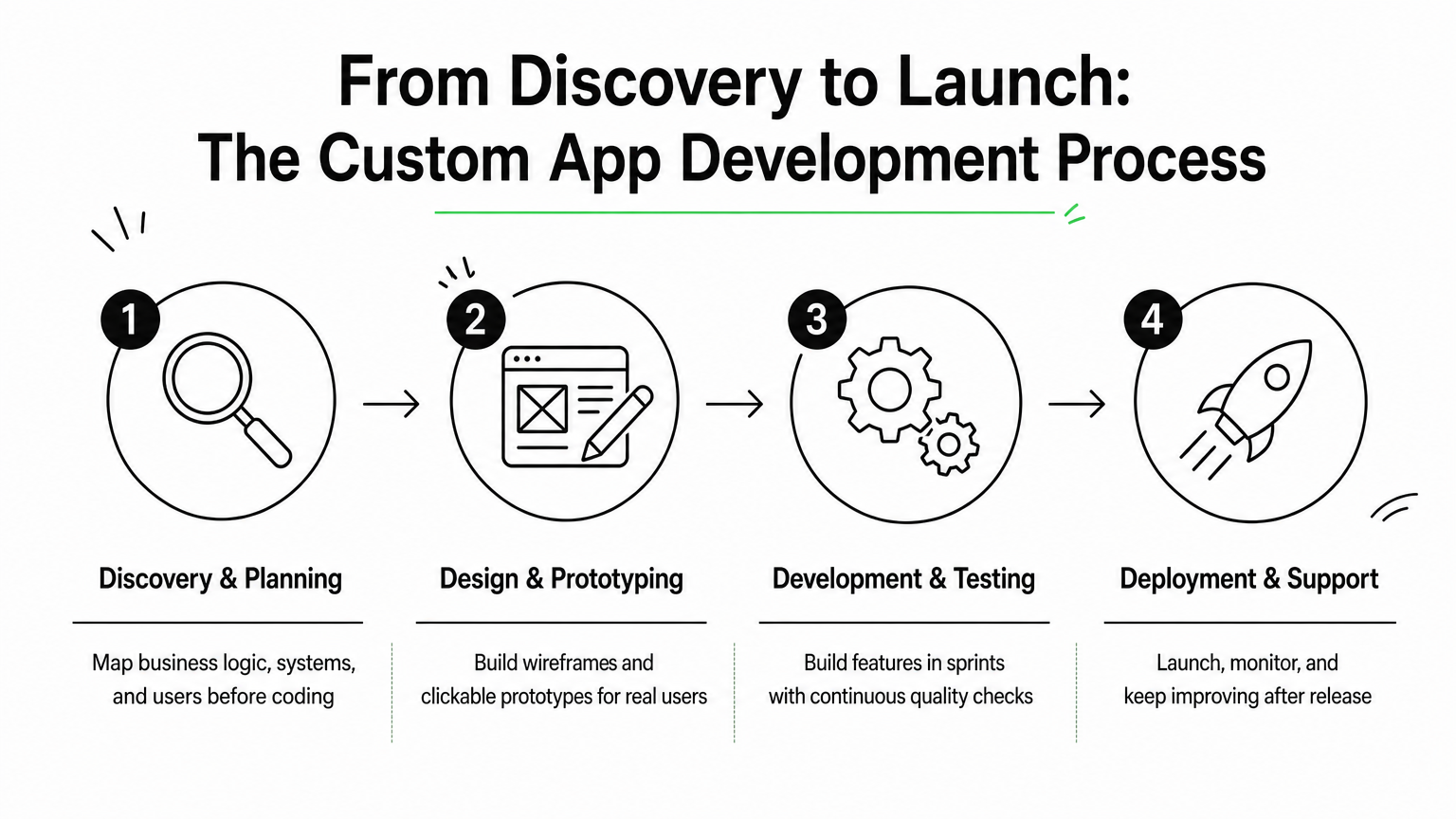
    Every serious build follows a similar arc, whether you’re a five-person startup or a Fortune 500 team modernizing a legacy system. The names change from vendor to vendor, but the sequence doesn’t: you validate the idea, design around real users, build and test in cycles, then launch and keep improving. Skipping any of these stages is usually where projects go over budget or ship features nobody uses.

    A four-step infographic showing discovery, design, development, and deployment stages of app building.

    Discovery and planning

    Discovery is where a development partner maps your business logic, existing systems, and user needs before writing a line of code. This phase should produce a technical scope, an architecture plan, and a realistic timeline, not just a slide deck. Requirements gathering at this stage prevents the most expensive mistake in software: building the wrong thing efficiently.

    Skipping discovery doesn’t save time, it just moves the delay to the middle of the build.

    Design and prototyping

    Once the scope is locked, designers translate requirements into wireframes and clickable prototypes. This is where UI/UX design earns its keep: catching a confusing checkout flow or a clunky field-worker screen here costs a design revision, not a rebuild. Our UX and UI design consultancy work happens in parallel with early architecture decisions so both teams stay aligned.

    Development and testing

    Engineering teams typically work in two-week sprints, building features in order of business priority rather than all at once. Automated and manual quality assurance testing runs continuously alongside development, not as a final gate before launch. This is also when integrations with your CRM, ERP, or payment systems get built and stress-tested against real data volumes.

    Deployment and ongoing support

    Launch isn’t the finish line. A proper deployment includes app store submission, server provisioning, and monitoring setup so issues surface before users report them. Post-launch, ongoing support means shipping updates, patching vulnerabilities, and adjusting features as your business changes. Companies that treat launch as the end of the relationship usually end up rebuilding within two years, because the app never adapted to new requirements.

    Native, hybrid, or cross-platform: choosing your build approach

    Picking a build approach is a technical decision with real budget consequences, and like deciding which platform to target first, it should happen during discovery, not after your first sprint. Native development means writing separate codebases in Swift for iOS and Kotlin for Android, which gives you the best performance and full access to device features like camera, GPS, and biometrics. Cross-platform frameworks like React Native or Flutter let you share one codebase across both platforms, cutting build time and cost while still producing near-native performance for most business apps.

    Where each approach actually fits

    Hybrid apps, built with web technologies wrapped in a native shell, sit at the cheapest end but struggle with complex animations, offline functionality, and heavy device integration. They fit simple internal tools or MVPs where speed to market matters more than polish, much like a progressive web app does for mobile web experiences. Cross-platform frameworks now handle most enterprise use cases well, including apps with camera access, push notifications, and offline sync, which is why they’ve become the default choice in custom mobile app development solutions aimed at startups and mid-sized companies alike.

    The right build approach isn’t the most powerful one, it’s the one that matches your users, timeline, and budget.

    Comparing the three approaches

    Approach Best for Trade-off
    Native (Swift/Kotlin) High-performance apps, heavy device integration, gaming Two codebases, higher cost and timeline
    Cross-platform (React Native, Flutter) Most business apps, faster time to market Slight performance gap for graphics-heavy features
    Hybrid (web-based shell) Simple MVPs, internal tools, low budget Weak offline support, limited device access

    Enterprises running apps with heavy real-time data, AR features, or hardware integrations, think field service scanners or medical devices, usually still need native builds despite the added cost. Startups validating a market fit almost always come out ahead choosing cross-platform, since it lets them test the concept across both app stores without doubling engineering spend. Our teams at Hatzs Dimensions evaluate this trade-off during discovery, using your user base and feature roadmap, not a default preference, to make the call.

    What custom mobile app development really costs

    Cost is the question every founder and CTO asks first, and the honest answer is: it depends on scope, not on a fixed price list, as our breakdown of what drives software development cost explains. Custom mobile app development services typically range from $30,000 for a simple MVP to well over $500,000 for a full enterprise platform with multiple integrations, custom AI features, and compliance requirements. Vendors who quote a flat number before discovery either haven’t scoped your project properly or are padding the estimate to cover surprises later.

    A laptop and printed documents show a budget spreadsheet and calculator for app cost planning.

    Where the budget actually goes

    Discovery and design usually consume 15-20% of total budget, engineering takes the largest share at 50-60%, and testing plus deployment fills out the rest. Backend complexity drives cost more than the interface does: a simple booking app with one database is cheap, but an app syncing real-time inventory across five warehouses is not. Third-party integrations, each API connection, each legacy system handshake, add both time and long-term maintenance cost that many quotes leave out entirely.

    The cheapest quote almost never becomes the cheapest app once you count the rebuild.

    Typical cost ranges by project type

    Project type Typical cost range Timeline
    Simple MVP (single platform) $30,000 – $80,000 2-4 months
    Mid-size business app (cross-platform) $80,000 – $250,000 4-8 months
    Enterprise app (multiple integrations, AI features) $250,000 – $500,000+ 8-14 months

    Engagement models change the math

    Fixed-price models suit projects with a locked scope, like a defined MVP with a clear feature list, since you know the total cost upfront. Dedicated team models fit longer-term builds where requirements evolve, letting you scale engineers up or down as priorities shift without renegotiating a contract every sprint. Growth-stage companies pursuing custom mobile app development for startups often start fixed-price to prove the concept, then shift to a dedicated team once the product finds traction and the roadmap gets less predictable. You can review both models on our software development pricing and engagement models page before scoping your own project.

    How to choose the right development partner

    Selecting a vendor is the decision that determines whether your budget turns into a working product or a stalled contract. Look for a senior-only engineering team with a track record of shipping enterprise-grade systems into production, not a roster padded with junior developers learning on your project. Ask for case studies in your specific industry, since a team that’s solved healthcare compliance or logistics routing before will spot problems you haven’t thought of yet, and run them through a proper checklist for evaluating a development company.

    What separates a real partner from a vendor

    Genuine partners push back on your assumptions during discovery instead of just building whatever you ask for. Reputation matters here too: a company recognized on platforms like Clutch or backed by client retention above 90% has already survived the scrutiny you’re about to apply. Retention numbers tell you more than marketing copy does, because unhappy clients don’t stick around for a second project.

    The best development partner argues with you before the build starts, not after launch fails.

    Questions worth asking before you sign

    Run every shortlisted vendor through the same checklist so you’re comparing apples to apples:

    • Do they offer both fixed-price and dedicated team models, or only one rigid structure?
    • Can they show a live app they built, not just a case study slide?
    • Who owns the code and IP after the contract ends?
    • What does post-launch support actually include, and for how long?
    • Do they have in-house AI, data, and cloud expertise, or will they subcontract it?

    Startups evaluating custom mobile app development solutions should also check how a vendor scales a team as the roadmap grows, since the agency that ships your MVP well isn’t always equipped to support you three years later. Teams like ours at Hatzs Dimensions combine engineering, AI, data, and cloud specialists under one roof specifically so you’re not stitching together three vendors as your product matures. That structure matters more once you’re past the first release and into the harder work of scaling.

    Putting it all into perspective

    Custom mobile app development isn’t a luxury reserved for enterprises with unlimited budgets. It’s the practical answer once a generic tool starts costing you more in workarounds than a tailored build would cost outright. The process itself is predictable: discovery, design, development, and support, each stage protecting you from the expensive mistakes that come from skipping ahead. Your build approach, your budget, and your choice of partner all flow from decisions made honestly during those early conversations, not from a template pulled off a shelf.

    If you’re weighing whether a generic platform can still carry your business, or you already know it can’t, the next step is a real scoping conversation, not another demo. Talk to a team that’s shipped enterprise-grade apps into production for 250+ clients and can tell you within weeks what yours actually requires. Get in touch with the iOS and Android app development team at Hatzs Dimensions to start scoping your project properly.